
geeone 스터디 블로그
[Spring] GDG 1주차 WIL 본문
1강. 프로젝트 생성
- 요즘은 다 스프링 부트로 프로젝트 생성함.
- 스프링 부트 스타터 사이트 : https://start.spring.io

<Project> : Gradle 추천 (요즘 추세)
<Spring Boot> : Java 17 버전 이상을 쓰는 사람은 3.3.0 이상을 쓰는게 좋다고 한다
<Project Metadata>
- Group : 기업 도메인 명
- Artifact : 빌드된 결과물
→ dependencies 설정 중요
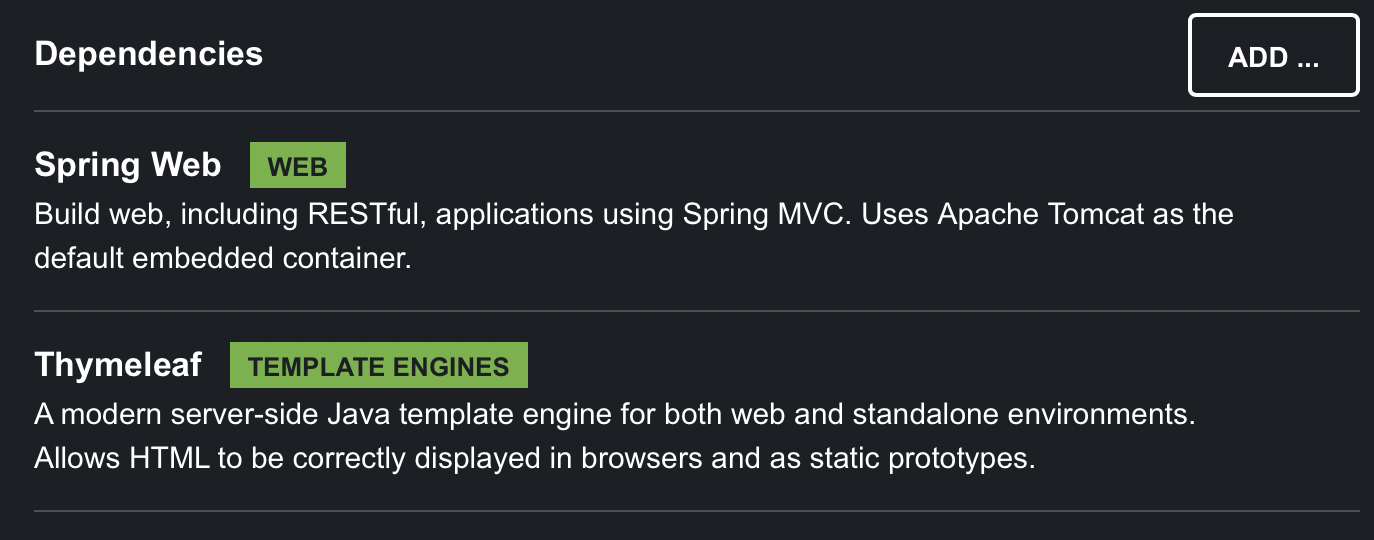
-> dependencies 까지 설정하고 나면 Generate 버튼 눌러서 다운로드 받기
-> 다운로드 받은 파일 속의 build.gradle을 intelliJ에서 Open-project로 열기
main/test 폴더 : 기본적으로 나눠져 있음. 그만큼 요즘 트렌드 상 test가 중요하다는 것을 보여줌.
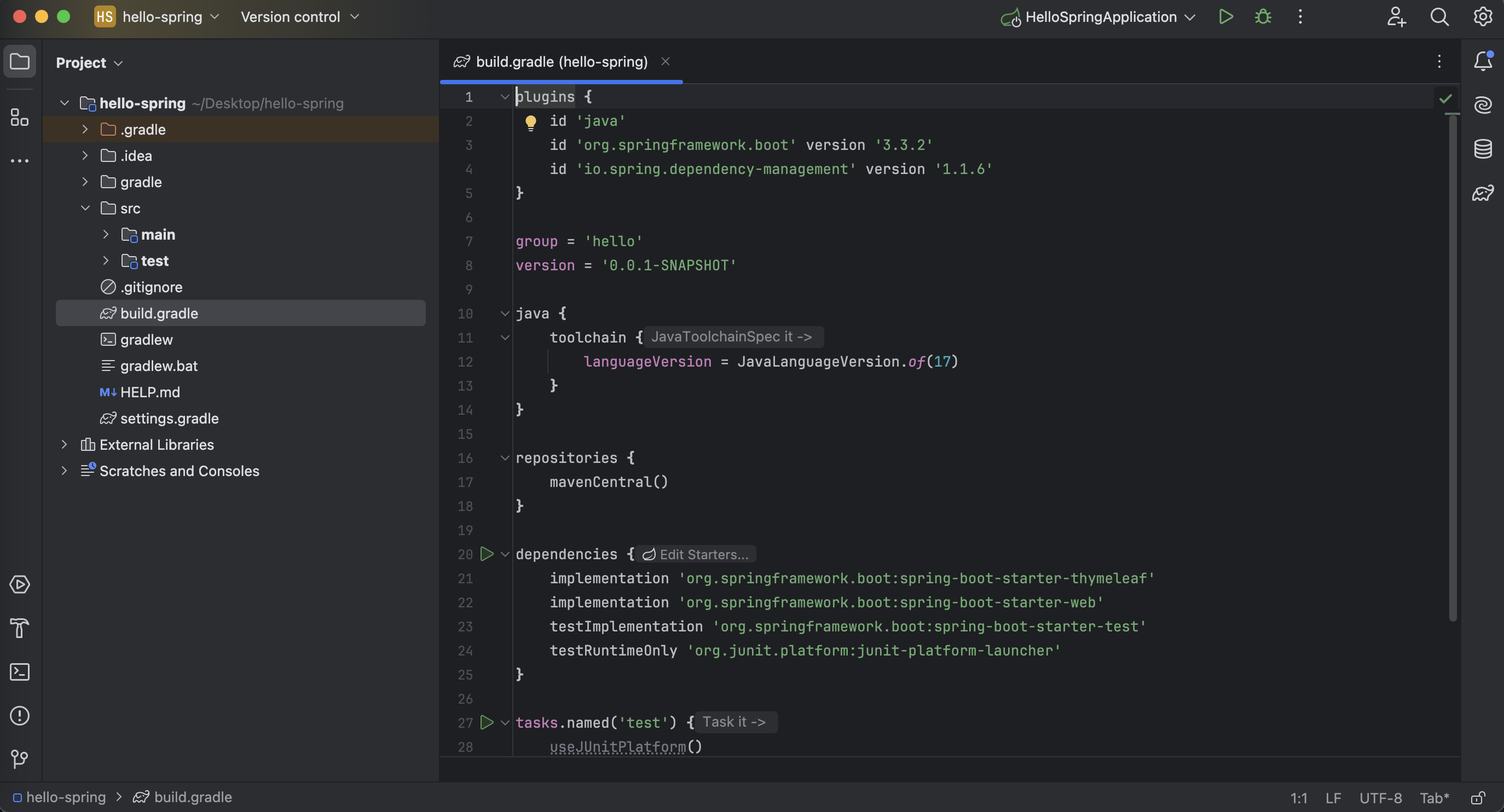
build.gradle 파일 : 스프링 부트가 다 만들어줌, 버전 설정 및 dependecies 끌고 옴.
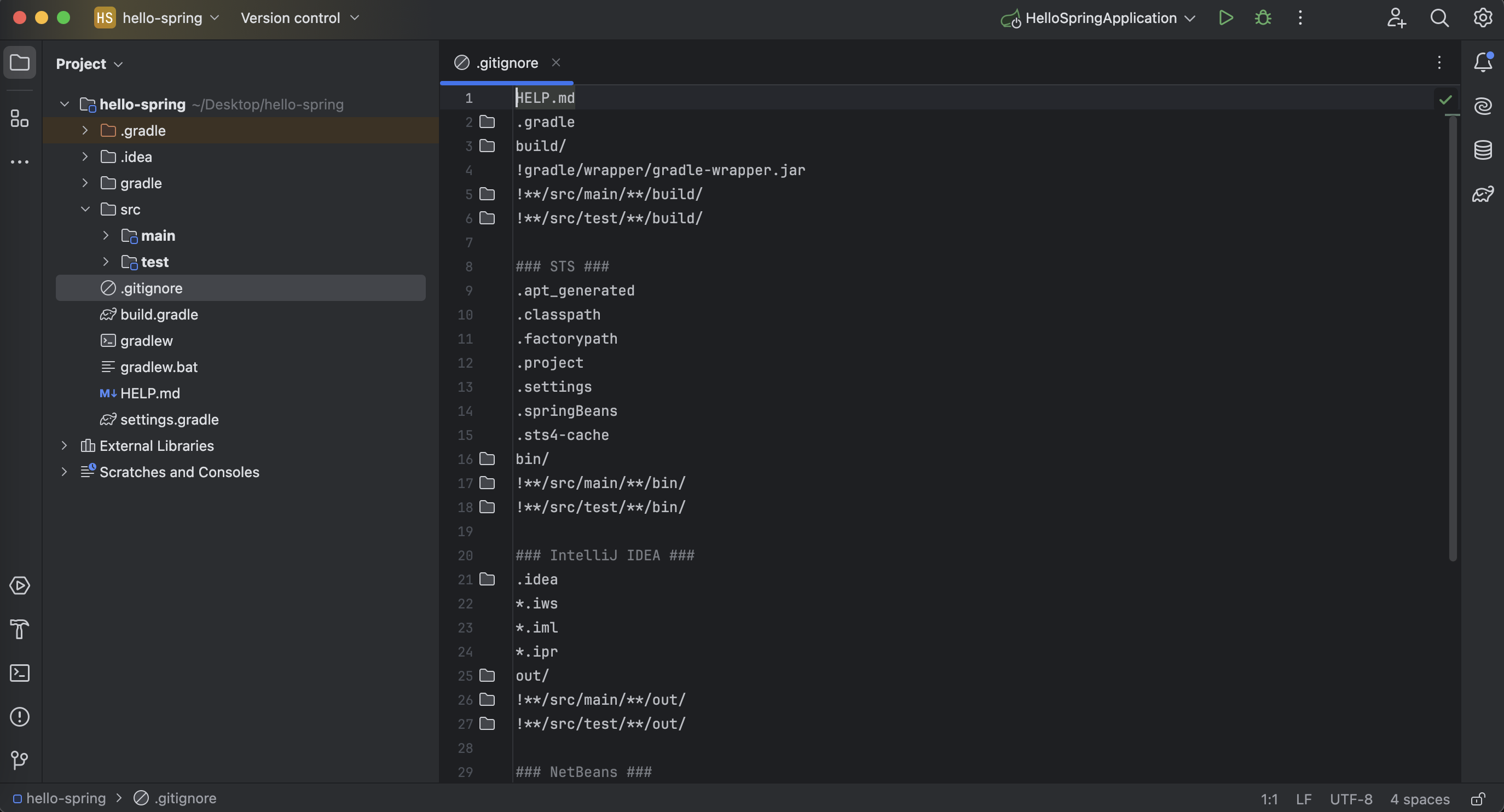
.gitignore : 소스코드 관리 / git에는 필요한 소스 코드만 올라가고 결과물과 같은 건 안 올라가게 해 준다.
실행시키면 localhost:8080 에서 확인 가능

결과 화면

2강. 라이브러리 살펴보기
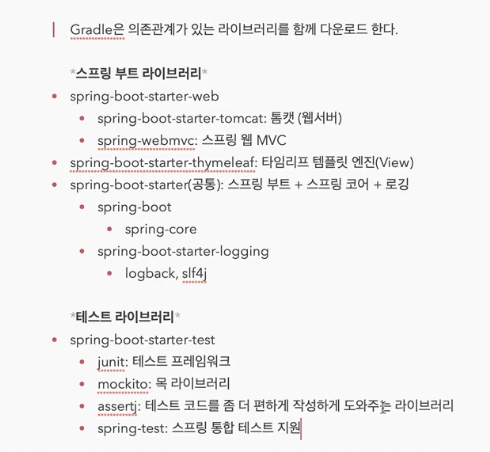
- External Libraries 폴더 : 내가 선택한 라이브러리가 가지고 있는 의존 관계들을 gradle이 자동으로 당겨옴. 즉, 내가 선택한 라이브러리는 2개여도, 많은 라이브러리가 함께 옴.
3강. View 환경 설정
Welcome Page 만들기
resources/static/index.html
src/main/resources/static 폴더에 index.html 파일 만들어서 넣어 놓기
<!DOCTYPE HTML>
 <html>
 <head>
     <title>Hello</title>
     <meta http-equiv="Content-Type" content="text/html; charset=UTF-8" />
 </head>
 <body>
 Hello
 <a href="/hello">hello</a>
 </body>
 </html>

- 스프링 부트가 제공하는 Welcome Page 기능 -> index.html 파일을 찾아서 함.
[spring.io에 들어가서 projects→ spring boot → reference → sping boot features→ welcome page 이렇게 등 제공하는 많은 기능들을 스스로 검색할 줄 알아야 함.]
thymeleaf 템플릿 엔진
- thymeleaf 공식 사이트: https://www.thymeleaf.org/
- 스프링 공식 튜토리얼: https://spring.io/guides/gs/serving-web-content/
- 스프링부트 메뉴얼: https://docs.spring.io/spring-boot/docs/2.3.1.RELEASE/reference/html/ spring-boot-features.html#boot-features-spring-mvc-template-engines
src/main/java/hello.hello_spring 밑에 controller 패키지 만들기 + 그 안에 HelloController 파일 만들기
package hello.hello_spring.controller;

import org.springframework.stereotype.Controller;
import org.springframework.ui.Model;
import org.springframework.web.bind.annotation.GetMapping;

@Controller //Controller라고 선언
public class HelloController {

    @GetMapping("hello") //웹 어플리케이션에서 '/hello'라고 들어오면 이 메소드를 호출해줌.
    public String hello(Model model) {
        model.addAttribute("data", "hello!");
        return "hello";
    }
}
src/main/resources/templates 밑에 hello.html 파일 만들기
<!DOCTYPE HTML>
<html xmlns:th="http://www.thymeleaf.org"> //th라고 타임리프가 선언되어 있음.
<head>
    <title>Hello</title>
    <meta http-equiv="Content-Type" content="text/html; charset=UTF-8" />
</head>
<body>
<p th:text="'안녕하세요. ' + ${data}" >안녕하세요. 손님</p> //data가 value인 hello로 치환이 됨.
</body>
</html>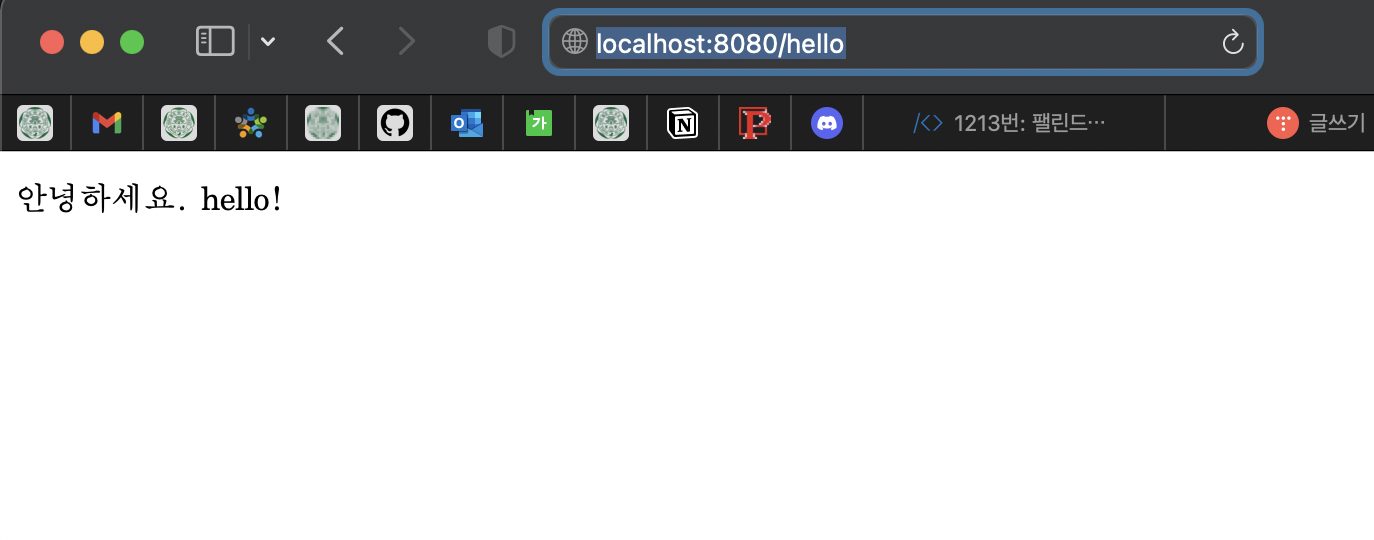

컨트롤러에서 리턴 값(hello)으로 문자를 반환하면 뷰 리졸버( viewResolver )가 화면을 찾아서(resources/templates 폴더 안) 처리한다.
- 스프링 부트 템플릿엔진 기본 viewName 매핑
- resources:templates/ +{ViewName}+ .html
4강. 빌드하고 실행하기
터미널
cd desktop
cd hello-spring
./gradlew build
cd build
cd libs
ls -arlth
java -jar [.jar 파일]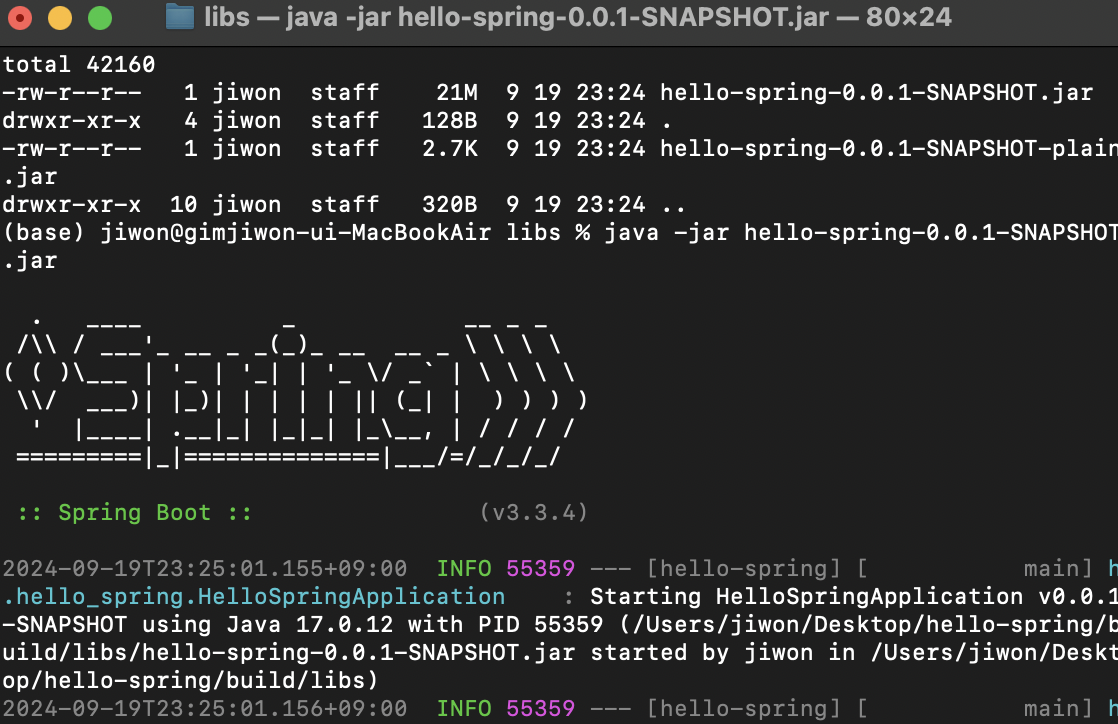
./gradlew clean
-> 빌드 폴더 없애줌.
느낀 점
- 확실히 강의를 두 번째 들으니 그 전보다 들리는게 더 많아져서 좋았다~
더 알고 싶었던 점
- 스프링 부트 라이브러리 중 thymeleaf가 많이 사용되는 이유..?
-> 클라이언트에게 동적인 웹페이지를 보여주기 위해서는 JSP, Thymeleaf 등 다양한 방식이 있는데, 요즘은 JSP 대신 thymeleaf를 사용하는 추세이다. thymeleaf가 jsp에 비해 더 HTML 스럽고, JSP와 달리 프로토타입 코드 작성이 가능하다는 등의 다양한 장점이 있는데 이 점은 강의를 끝까지 수강하고 thymeleaf의 장점을 읽어보면 더 와 닿을 것 같다.
과제

'Spring' 카테고리의 다른 글
| [Spring] GDG 4주차 WIL : 관점 지향 프로그래밍(AoP) 및 커스텀 어노테이션 (0) | 2024.10.11 |
|---|---|
| [Spring] 강의 스터디 WIL 3주차 (4) | 2024.10.06 |
| [Spring] GDG 3주차 WIL (0) | 2024.10.04 |
| [Spring] GDG 2주차 WIL (2) | 2024.09.27 |
| [Spring] 강의 스터디 WIL 2주차 (3) | 2024.09.27 |


